In Axelor Studio, I’m trying to set up a connector to perform a sequence of Axelor API calls. Each API call needs to use the response of the previous API call.
The documentation explains that it is possible, for example here: " The variable _1 will contain values returned from first request , so it can be used with second or subsequent requests. At the end the connector returns the result of all requests called".
My particular case (in pseudocode) is:
Request 1: GET ws/rest/…PurchaseOrder/:id
Request 2: POST /ws/action
{
« action »: « action-purchase-order-method-requested »,
« model »: « com.axelor.apps.purchase.db.PurchaseOrder »,
« data »: {
« context »: {
priceRequest=null,
notes=null,
companyExTaxTotal=994.12,
…
}
}
}
The next step will be to call the ‹ action-group-purchase-order-on-validate-actions › action in the same manner, with the same kind of payload.
My question is: how can I use the result of Request 1 and inject it in the payload of Request 2? And so on…
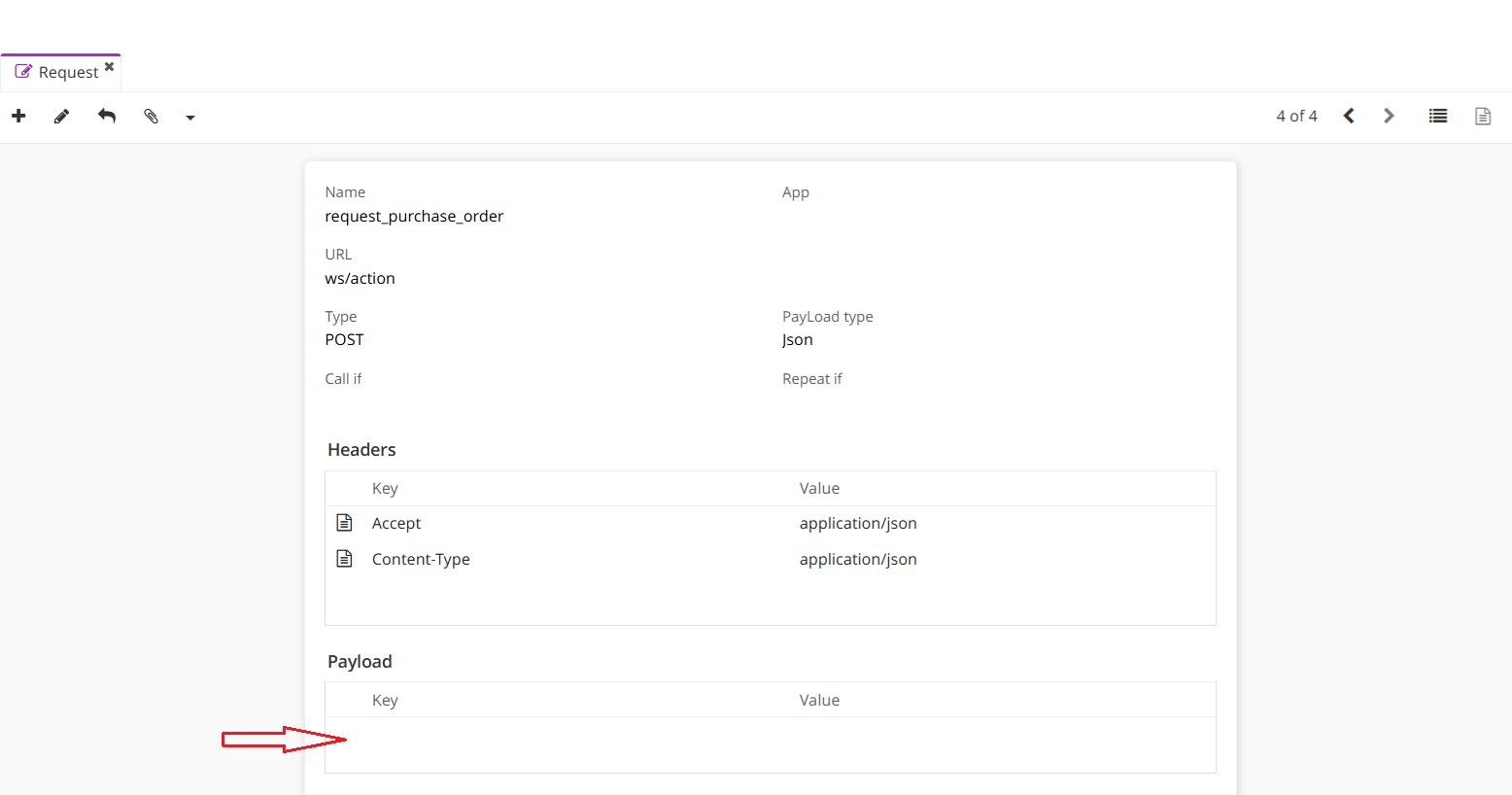
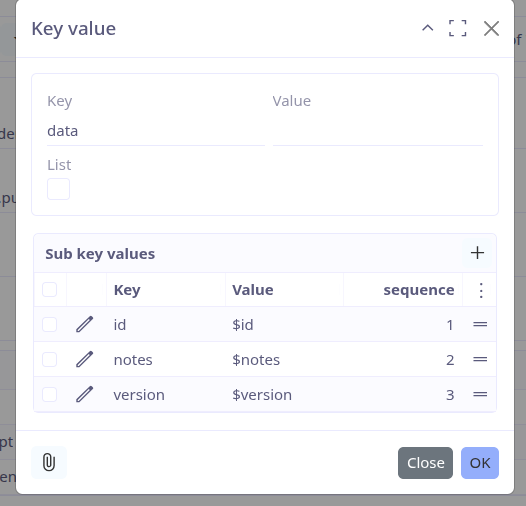
Requests are defined like this:
The question is what to put where the red arrow points in my screensot.
Variable _1 is available, there’s no doubt about that. The problem is that it is a Java Map object, while I have to define a json payload as depicted above.
In short, how can we use variable _1 to create the payload of Request 2 and so on?
I will really appreciate any clue.
Hi, Marius
While reproducing this case (I have similar problem to solve in my project), I have stuck with the following error:
2025-10-27 03:28:16.504 ERROR 4126 — [-26626-thread-1] org.camunda.bpm.engine.context : ENGINE-16004 Exception while closing command context: java.lang.IllegalArgumentException: org.hibernate.HibernateException: Illegal attempt to associate a collection with two open sessions. Collection : [com.axelor.apps.purchase.db.PurchaseOrder.purchaseOrderLineList#131]
com.axelor.studio.bpm.exception.AxelorScriptEngineException: java.lang.IllegalArgumentException: org.hibernate.HibernateException: Illegal attempt to associate a collection with two open sessions. Collection : [com.axelor.apps.purchase.db.PurchaseOrder.purchaseOrderLineList#131]
And still cannot find the workaround.
Regarding the paiload, here is an example (REST fetch request):
In your case paramsMap most likely (depends on the request) will be something like [« sourceData » : <Map_with_values>] and the key in the request payload will be - data, value - $sourceData.
P.S. It could be better not to use web requests in the scripts at all (?) and switch to the recommended by documentation method: Create requests
P.P.S. purchaseOrder is not persisted in the database until __ctx__.save(purchaseOrder) called or process came to its end, so there is nothing to pass to the next request, but __ctx__.save() call causes error:
javax.persistence.OptimisticLockException: Row was updated or deleted by another transaction (or unsaved-value mapping was incorrect) : [com.axelor.apps.purchase.db.PurchaseOrder#172]
Here is the usable example of such a chain.
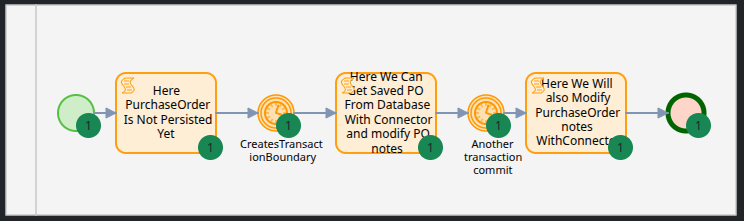
This process calls two connectors sequentially, one of them get Purchase Order from the database with a given id and another modifies Purchase Order note field with POST request.
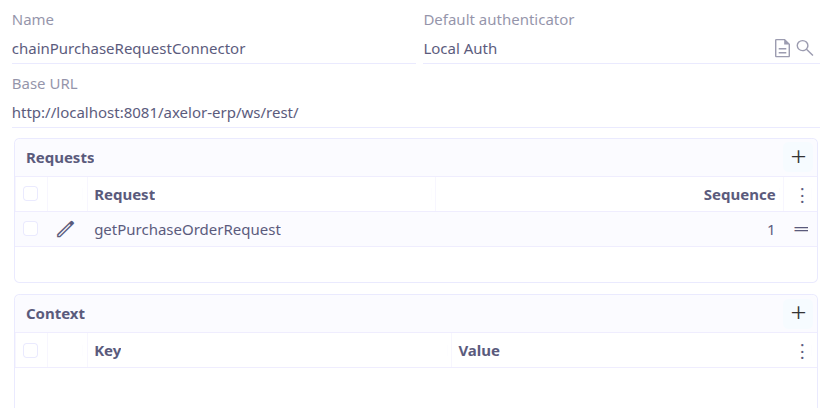
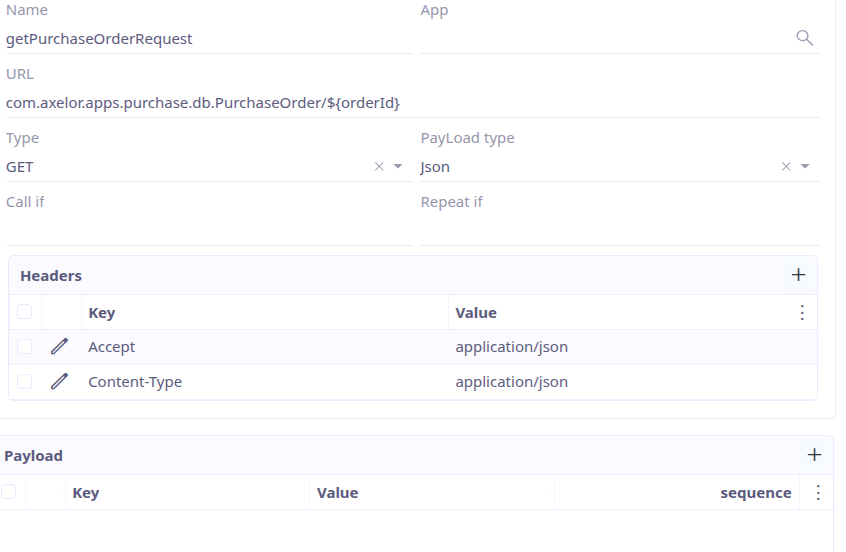
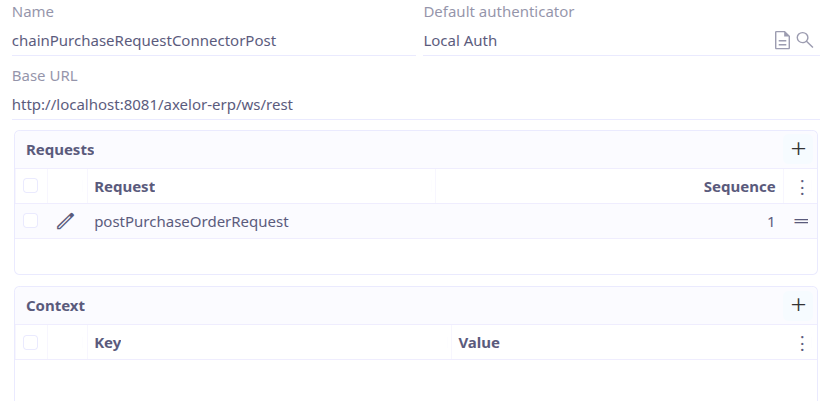
Connectors and requests are defined as:
« Purchase order is not persisted yet », type: Script
__log__.error("A.0: id - "+purchaseOrder?.id+", ver. "+purchaseOrder?.version)
// Get list of all POs to make sure it is not persisted yet
def _listOrders = __ctx__.filter(purchaseOrder.getTarget().getClass().getName(), "self.archived is null OR self.archived = false", [:])

counter = 1
for(elem : _listOrders) {
__log__.error("A."+counter+" - id = "+elem.id)
counter++
}
// Process variable for futher usage over transaction boundaries
execution.setVariable("purchaseOrderIdProcessVariable", purchaseOrder.id)
// Return something
return purchaseOrder.typeSelect
« Here We Can Get Saved PO From Database With Connector and modify PO notes », type: Connector
def purchaseOrderObject = __ctx__.filterOne('PurchaseOrder', 'self.id = ?1', purchaseOrderIdProcessVariable)
// Modify and save notes field of the persisted on the transaction boundary Purchase Order
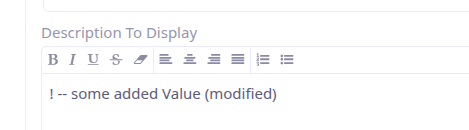
purchaseOrderObject.put('notes', purchaseOrderObject.get('notes')?:"!"+" -- some added Value")
__ctx__.save(purchaseOrderObject)

def _res = __beans__.get(Class.forName('com.axelor.studio.service.ws.WsConnectorService')).callConnector(__ctx__.filterOne('WsConnector','self.name = ?1', 'chainPurchaseRequestConnector').getTarget(), null, [orderId : purchaseOrderIdProcessVariable]).get("_1")

// Add a request result as a variable to the process context for further usage
execution.setVariable('_queryResult', _res)
execution.setVariable('purchaseOrderVersionVariable', _res.data[0].version)
__log__.error("I.3: After object update request "+_res)
« Here We Will also Modify PurchaseOrder notes WithConnector », type: Connector